Customer Support Software for SaaS Teams

Customer support software built for small SaaS teams

Collect requests from email and forms, turn them into product tasks, keep the customer conversation connected, and publish reusable help content without adding an enterprise help desk.

Support ticketsLinked tasksHelp docs
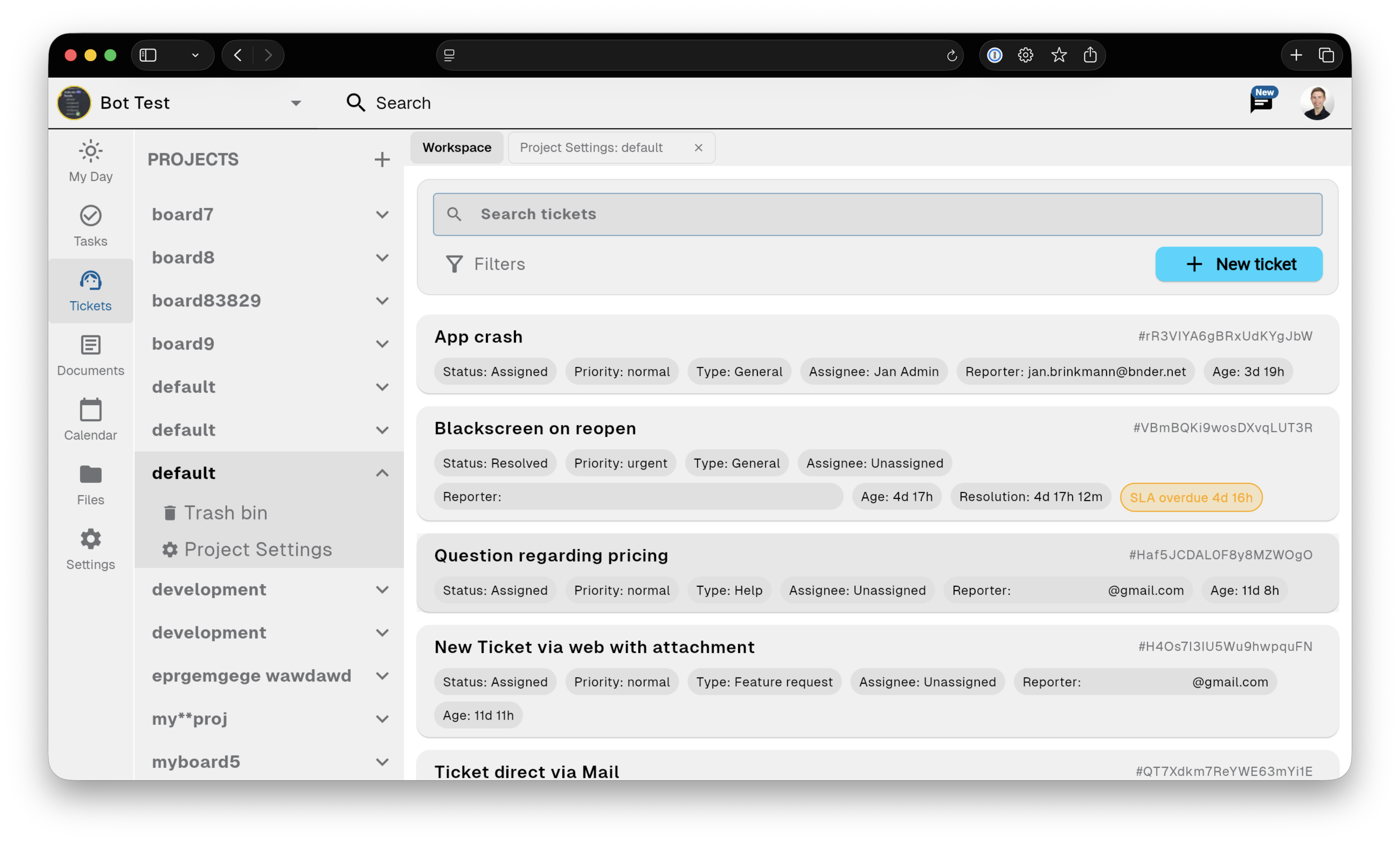
Bnder ticket workflow screenshot

Ticket intake

Why small SaaS teams outgrow a shared inbox

A customer email becomes a ticket, someone recreates it in a task tracker, and the final answer disappears in another document or chat thread. Bnder keeps the request, the product work, and the reusable answer connected.

Client requests

Receive requests from email, public forms, and the app.

Linked tasks

Keep the original customer, conversation, and reason attached.

Reusable answers

Turn solved issues into internal or public documentation so the next answer is already written.

See how it works

From customer request to shipped fix

The original conversation stays attached to the ticket, a linked task carries context into delivery, and solved issues become reusable help content.

  • A customer emails the support address and Bnder creates a ticket.
  • Support creates a linked product task and the team resolves the work.
  • Support updates the customer and turns the answer into reusable help content.

Linked product task

Keep support and product in the same context

Keep the original customer, conversation, and reason attached.

  • Keep the original customer, conversation, and reason attached.
  • Linked tasks carry customer context into delivery.
  • Resolved issues become reusable help documentation.

Knowledge base

Turn solved issues into self-service content

Turn solved issues into internal or public documentation so the next answer is already written.

Known-issue notes

Reply from the connected workflow when the product work is resolved.

Help docs

Turn solved issues into internal or public documentation so the next answer is already written.

Public articles

Turn solved issues into internal or public documentation so the next answer is already written.

Product

Built for small teams, not enterprise call centers

A focused workflow for SaaS startups, plugins, extensions, devtools, AI products, and other small software teams.

  • Customer requests stay connected to the conversation.
  • Linked tasks carry customer context into delivery.
  • Resolved issues become reusable help documentation.

Use cases

What Bnder replaces—and what it does not

The original conversation stays attached to the ticket, a linked task carries context into delivery, and solved issues become reusable help content.

Choose Bnder when support becomes product work

Choose Bnder when the same small team handles support and delivery and wants tickets, tasks, and help docs connected.

Choose a traditional enterprise help desk for call-center operations

Large dedicated support organizations may need workforce management, advanced quality assurance, or support-first reporting that Bnder does not replace.

See how it works

See the connected SaaS support workflow

The original conversation stays attached to the ticket, a linked task carries context into delivery, and solved issues become reusable help content.

  • Email or form
  • Support tickets
  • Linked tasks
  • Customer update
  • Help article

Frequently asked questions

Is Bnder a help desk or a project management tool?

Bnder is a customer support workspace with linked product tasks and reusable help documentation.

Can I connect an existing support email address?

Yes. Pro includes email routing, reply-by-email, and hosted mailboxes for connected support workflows.

Can customers submit requests without joining the workspace?

Yes. Customers can use a public request form and continue the conversation in their ticket thread.

Can support requests become product tasks?

Yes. A linked task carries the original customer context into product work.

Is Bnder designed for large call centers?

No. Bnder is focused on small cross-functional teams rather than workforce-management or call-center operations.

Where can I compare the available plans?

Compare Free, Starter, and Pro capabilities on the Bnder pricing page.

Customer support software built for small SaaS teams